


BYD SPOT
Rear Powertrain and Trim Badges for BYD
Rear Powertrain and Trim Badges for BYD
Regular price
$9.80 USD
Regular price
Sale price
$9.80 USD
Shipping calculated at checkout.
Quantity
Couldn't load pickup availability


Replace the badge that identifies your trim
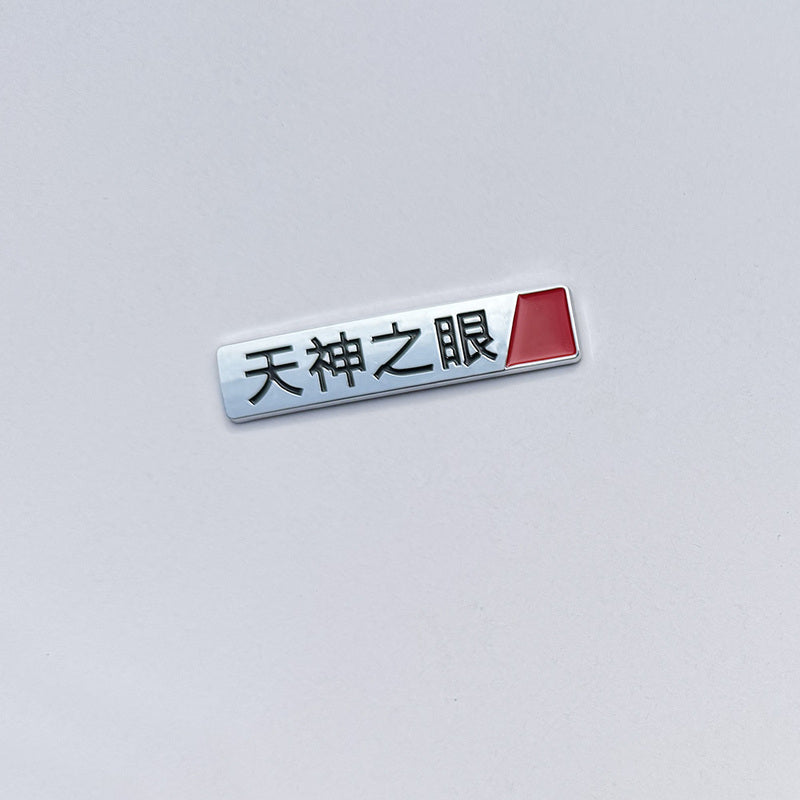
Choose the marking on your car. EV, DM, DM-i, DM-P, AWD, pro, PLUS, MAX, an acceleration marking or the Chinese God’s Eye badge.

Match the existing marking
Select the same powertrain, drivetrain or trim marking as the one you are replacing. God’s Eye badges have black Chinese characters on a silver plate with a blue or red color block.
Specifications
| Material | Electroplated ABS plastic |
|---|---|
| Finish | Bright silver / Silver with blue accent / Silver with red accent |
| Mounting | Pre-applied double-sided adhesive |
| In the box | One selected badge or lettering assembly |
Fit and placement
Before peeling the liner, compare the design, width and curve with the existing emblem and its position on the rear panel.
| Option | Fit or size |
|---|---|
| Small PLUS | YUAN or QIN with matching small PLUS badge |
| Large PLUS | SONG with matching large PLUS badge · 2 × 13 cm |
| MAX · Bright silver | SONG with matching MAX badge · 10.5 × 2 cm |
Installation
- Remove the old badge and adhesive. Clean away dirt and grease and let the surface dry.
- Below 20 °C, gently warm the adhesive and the mounting area with a hair dryer.
- Line up the badge, peel the backing and press firmly along its full length. Hold it firmly for a few minutes if the surface was cold. Where a clear transfer film is supplied, use it to keep the letters aligned and peel it off after pressing.
Care
Keep the badge dry and undisturbed for the first three days. Clean it later with a soft cloth.
Shipping and returns
See shipping options and charges at checkout.